 Brian Donohue
I spent the past week doing Instapaper support, which I do myself from time to time to get a sense of the top issues facing Instapaper customers and our support team.
There are two big problems with Instapaper’s customer support flow: going from tickets in Zendesk to Instapaper users to debug accounts, and dealing with the volume of spam that Instapaper support receives. This time I streamlined both with a bit of prompting in Claude.
Surfacing User Information
Instapaper has an admin panel for looking up user information, and a set of commonly needed tools for customer support to use on those accounts.
However, going from Zendesk to the admin panel is a cumbersome, multi-step process:
- Click into the user information in Zendesk
- Copy email address
- Open Instapaper admin panel in a new tab
- Paste the email address and press enter
After all that, sometimes you find that the user is writing from an email that doesn’t have an account associated with it.
I1 implemented a webhook integration in Zendesk that executes on every new ticket, and checks to see if the sender has an Instapaper account. If the user has an account, the webhook creates a private comment on the ticket that contains a link to the admin portal, their subscription status, a link to their subscription in Stripe or Google Play if applicable, etc.
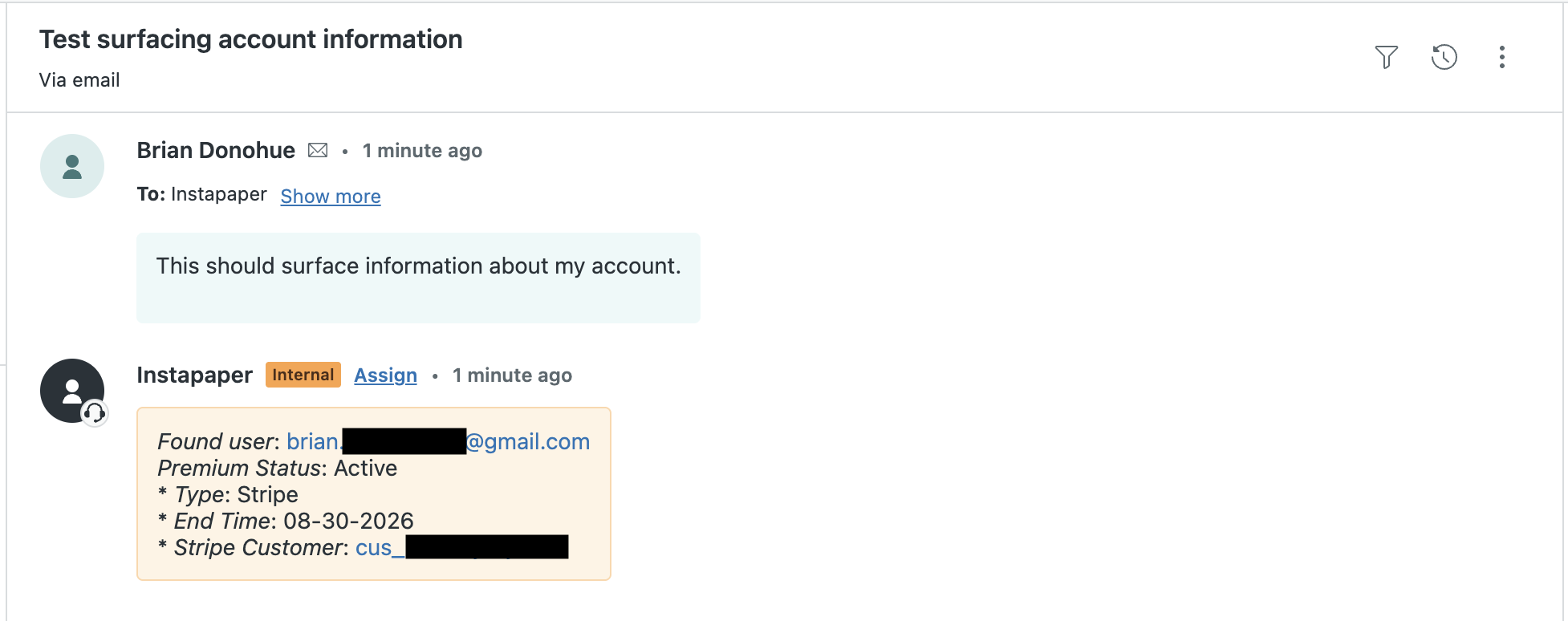
This has reduced a lot of steps from the Zendesk flow, and made customer support a lot more efficient.
Spam Filtering
After years of publicly sharing our support email, Instapaper Support has accumulated quite a bit of spam that arrives daily into Zendesk. While Zendesk does have spam detection built-in, we’ve found it to be lacking—Zendesk routinely allows fairly obvious spam messages. For example:
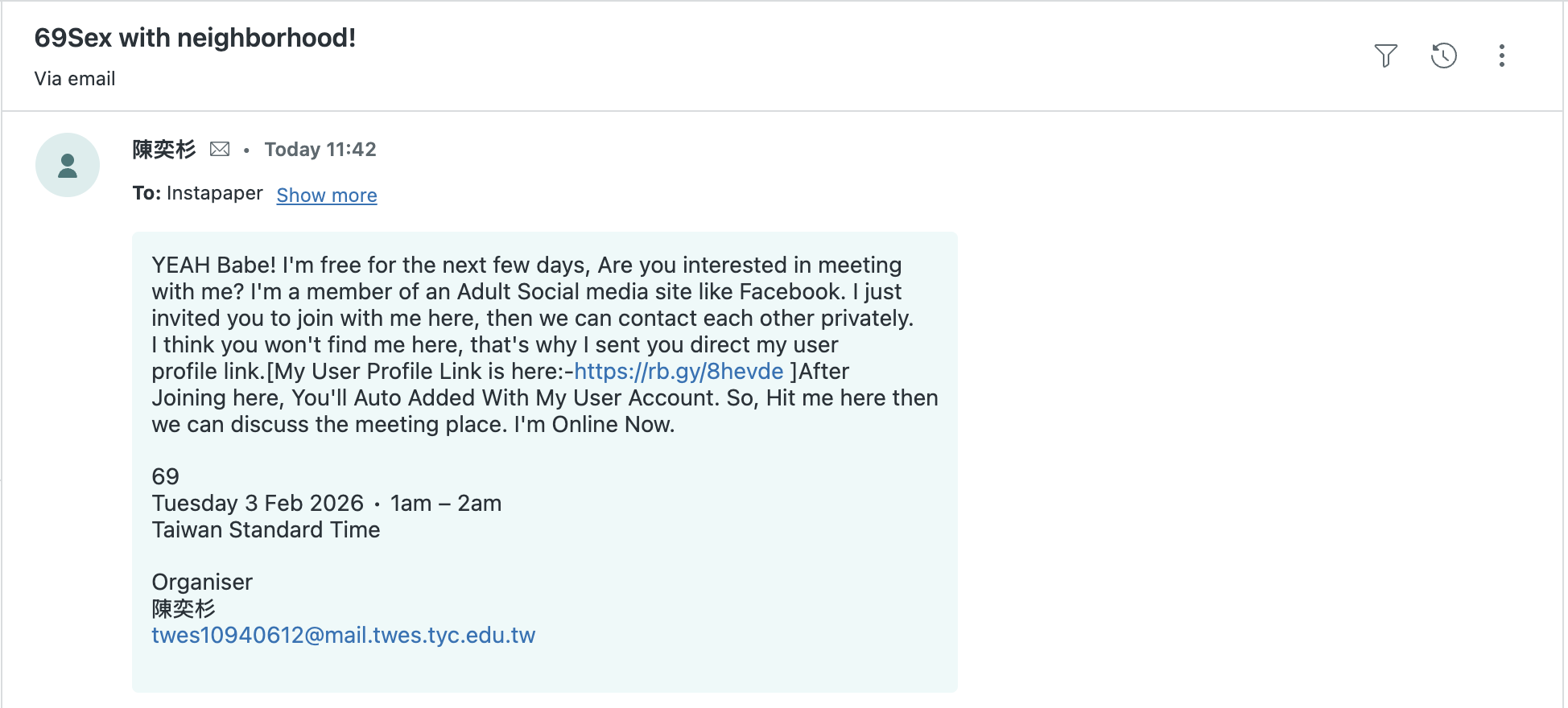
In order to solve this, Claude helped me train a small model to do spam detection.
Spam Model Training Data
Because Instapaper deals with spam regularly in support, there are several thousand tickets that have been marked as spam from our support team, and I could extract those from the API. I was also able to create a “ham” (i.e. not-spam) dataset by pulling solved tickets from Zendesk.
After extracting both datasets I wound up with spam.csv and ham.csv, which contained the ticket_id, subject, and description.
Training the Model
For this use case, Claude recommended I use TF-IDF and Logistic Regression to return a value between 0 and 1 when providing the subject and message. I’m far from an expert, but my understanding is this is one of the most simple/straightforward approaches for doing this type of binary classification with text.
In addition to suggesting the approach, Claude wrote the code using sklearn, and the training resulted in a model with accuracy reported at 98%.
Testing Predictions
Claude also wrote the prediction code that loads in the model, and I extended the script to provide text from the command line.
After spot checking a few values for accuracy, I prompted Claude to write a script to grab the most recent Zendesk tickets, run each ticket through the model, and output detected spam based on a given thresholds (e.g. 50%, 75%, 85%).
I selected an 85% threshold, which missed some spam but caught the really obvious, frequent spam cases.
Integrating into Production
Before going to production, I checked the model size, memory footprint, and CPU usage. The model is ~800KB, increases memory usage by ~2% on ECS, and the predictions happen in 1 ms, which checks all of the boxes. After confirming it fit production requirements, I uploaded the model to an S3 bucket, and modified the predict function to lazy load the model from S3 instead of from disk.
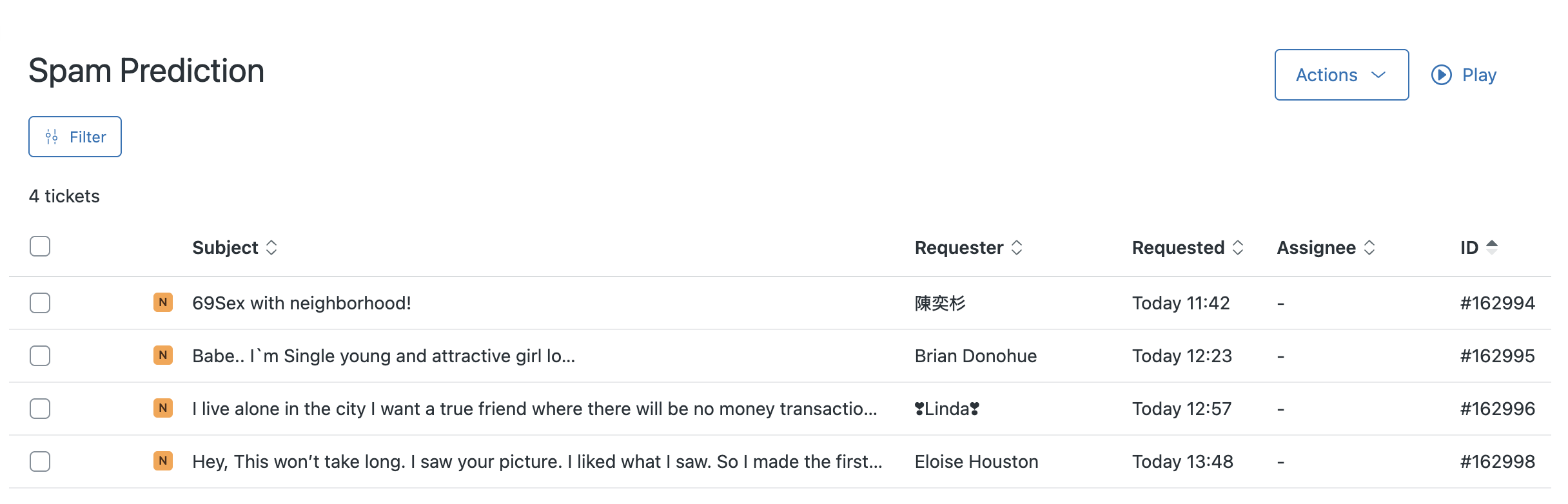
The last step was to extend the Zendesk webhook to check for spam only if the sender is not an Instapaper user. If the message is predicted to be spam, the ticket gets a “spam” tag added to it, and it’s moved from the main ticket queue to a “Spam Predicted” ticket queue. That queue gets reviewed by a human for false positives, and can then be dealt with in bulk without polluting the main support queue:
Concluding Thoughts
Since Going Full-Time on Instapaper, one of my major goals has to build a better understanding of machine learning. It’s getting a lot of easier in practice with tools like Claude, which help identify the right approach to a problem, build the solution, and streamline the entire process.
Last year, I followed Lesson 2 from Practical Deep Learning for Coders to build a Hotdog or Cheeseburger Image Classifier. That process helped build the foundation for understanding some of the core concepts implemented in the Spam Detection model, but building something even that simple took me many hours over several days.
With assistance from Claude, I was able to extract the data from Zendesk, train a model, check model quality, and deploy to production in 3-4 hours. It’s my first time training and deploying a simple classifier that uses first-party data to solve a real problem, and I’m excited to see the barriers lowering for training and deploying basic models.
-
Or should I say Claude? ↩