 Brian Donohue
After 18 years, the Instapaper blog is moving off of Tumblr in favor of Jekyll on GitHub Pages.
For several years now I’ve been really embarrassed about the state of Instapaper’s blog. It’s been simultaneously the lowest quality part of of our web presence, and also the place where we made our most important announcements. I had dreaded the idea of spending a lot of time migrating and modernizing it.
Thanksfully, AI made this a lot easier and accelerated the process. With a handful of prompts, I was able to get the entire migration and modernization done in just 2-3 days. Without AI, I think this easily could’ve taken me a few weeks to accomplish something similar and likely not as good.
Leaving Tumblr
There were several key reasons for migrating off Tumblr:
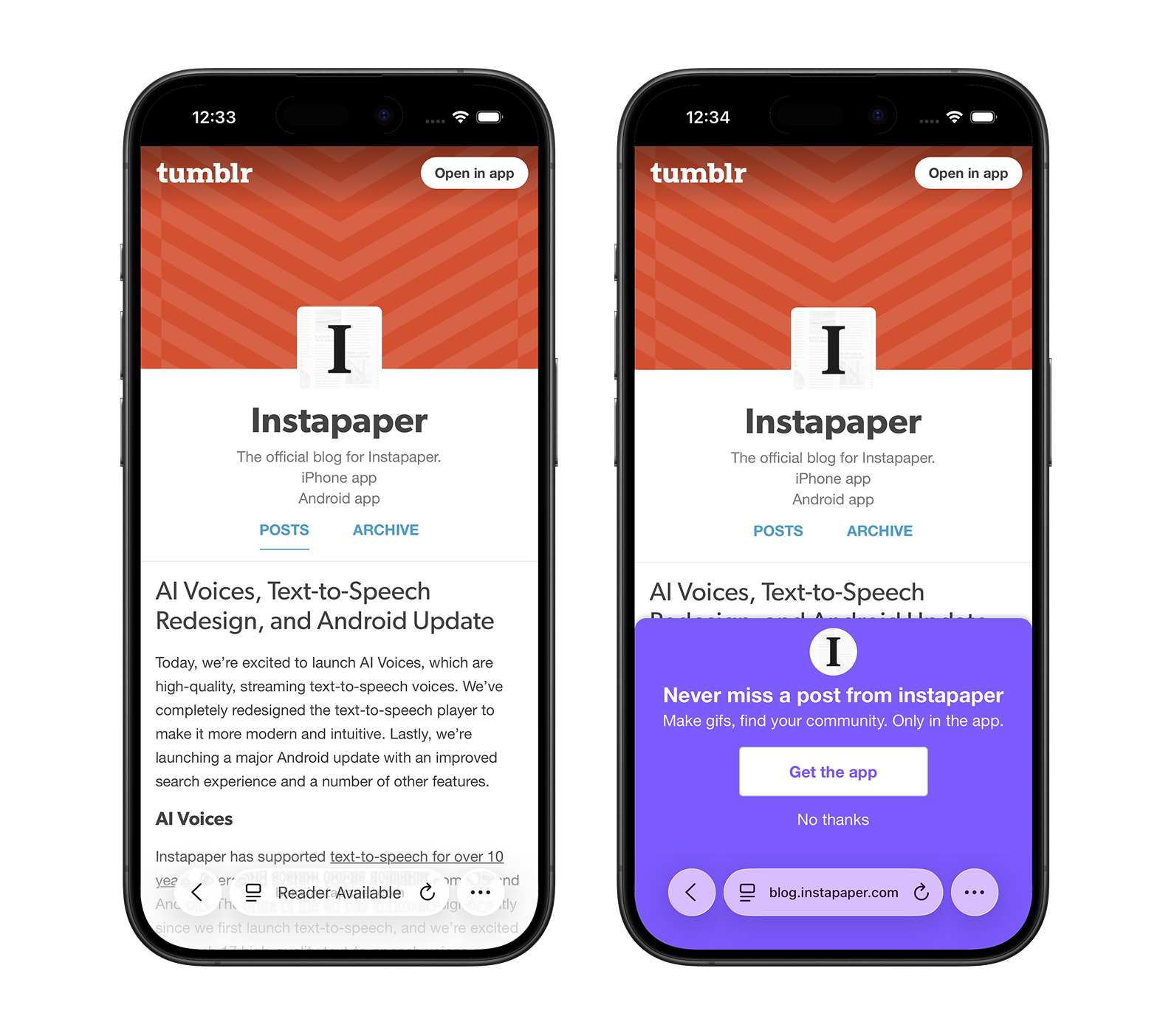
- Mobile Theme Overrides: For a while now, Tumblr has been overriding custom themes on mobile devices, forcing Tumblr-specific theming that doesn’t match the desktop experience. This created a strange and inconsistent experience for our blog, especially where Tumblr is trying to market their own product on the blog where we’re marketing Instapaper.
-
Reduced Image Quality: When using the CMS, Tumblr resizes and reduces the quality of image uploads, and doesn’t allow for higher resolution images for retina devices. That meant a lot of our images, especially screenshots with text, looked blurry on the Tumblr blog. In the past, we could edit the HTML of the post directly and integrate our images from a self-hosted CDN, but at some point Tumblr started blocking that, too.
-
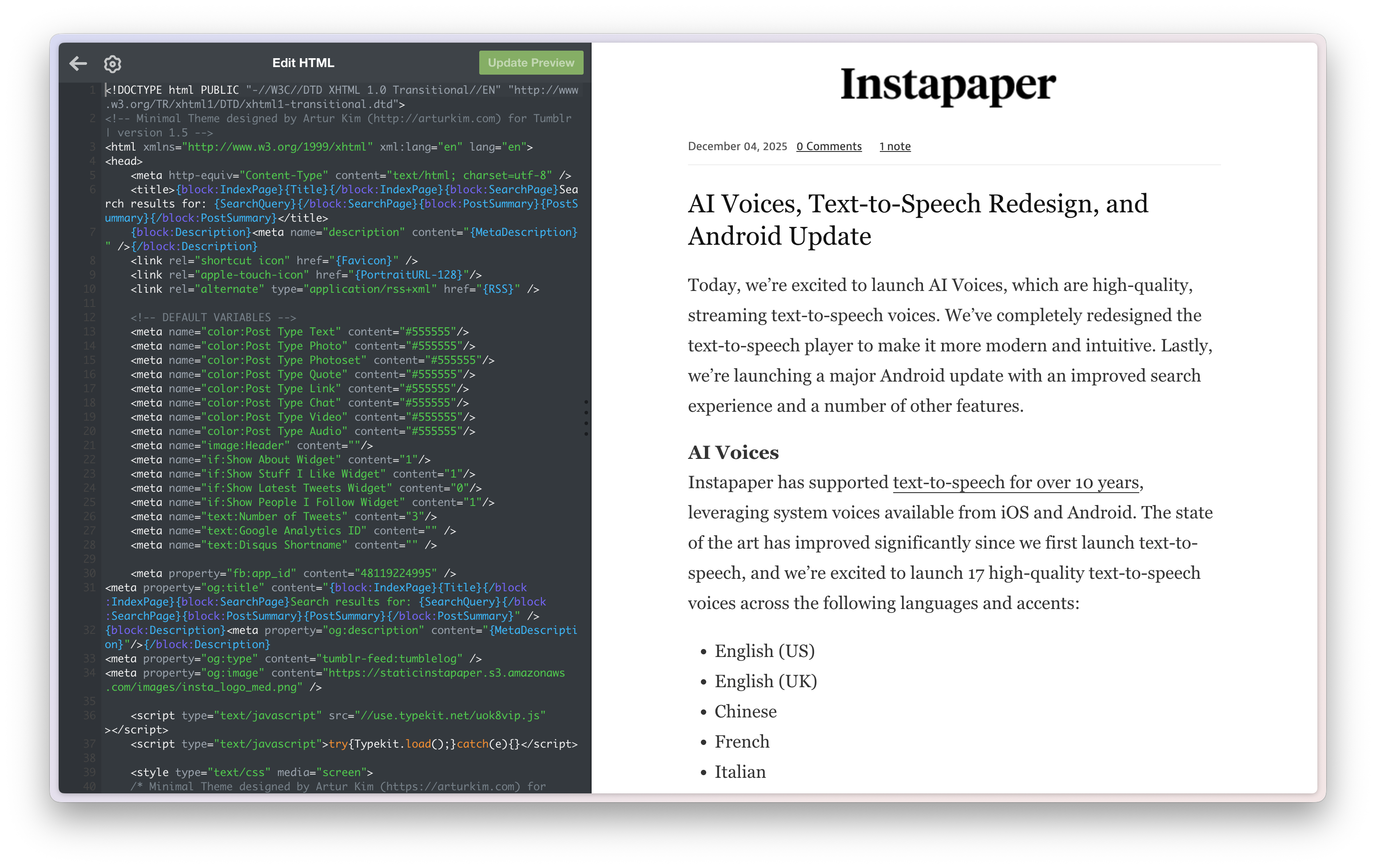
Theme Editor: The process of building and editing themes on Tumblr was always cumbersome, with a smallish editor in the left panel, no version control, and a lack of modern tooling.
Migration Process
The migration involved several steps to ensure we preserved all content and maintained link integrity.
Initial Import
I started by using the tumblr to Jekyll tool to download all blog posts as markdown.
Preserve Links
Our #1 requirement was to preserve the original blog links. The Tumblr to Jekyll import tool includes a tumblr_url field in the frontmatter of each post. I used AI to write a script that included a permalink field in frontmatter containing only the path of the tumblr_url, which ensured that all existing links to the blog were preserved.
Importing Images
The Tumblr to Jekyll tool has an image download option, but I found it only worked on a portion of the images. I used AI to write a script that iterates over all posts, parses image URLs in the markdown, downloads the images to the img/ directory, and updates the URLs appropriately.
In 2018, I migrated my personal blog from Medium to Jekyll, and I had implemented a similar script. That script took me about 6 hours to write, and I had a moment of reflection about how amazing it was that the computer could now do the same in about 1-2 minutes.
Modernizing the Blog
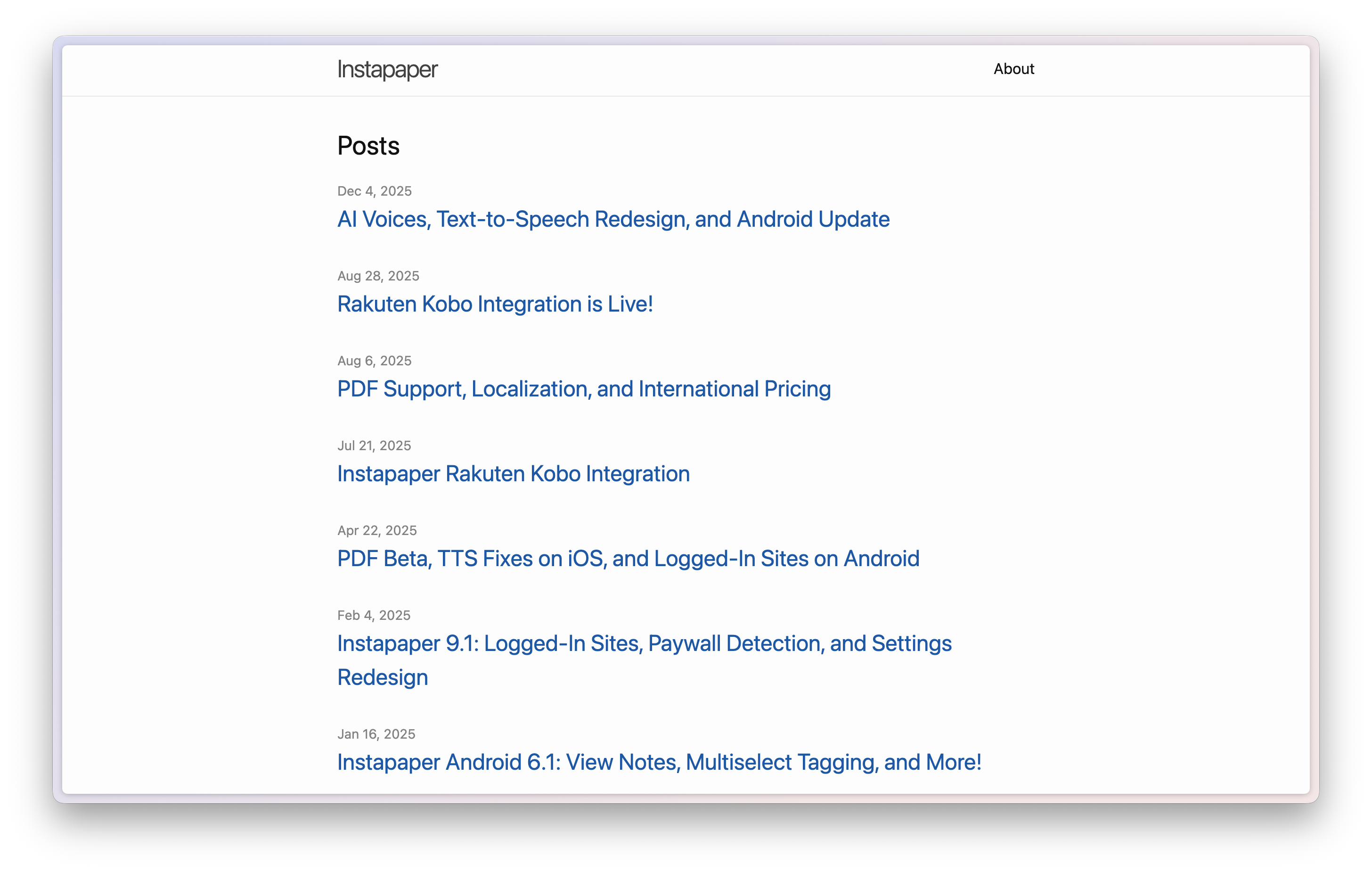
After getting all of the content into Jekyll, we had the unstyled blog above, and the last step was to style and modernize the blog.
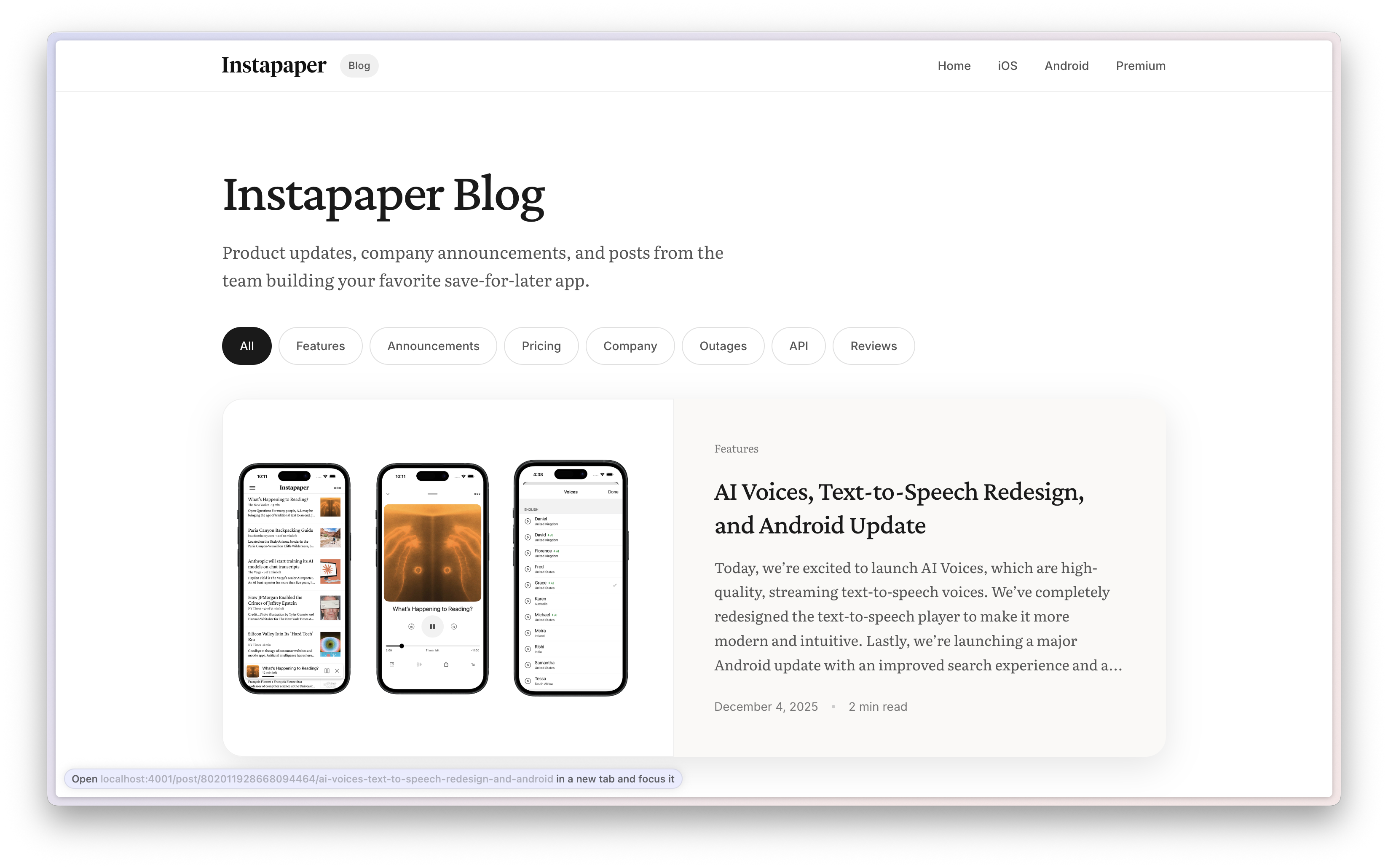
AI came to the rescue here too, and built a well-designed blog including typographic touches, animations, hover states, SEO integration, mobile support, and a clean, modern aesthetic that feels appropriate for 2026.
Categorizing the Blog
The blog contains hundreds of posts from the past 18 years, which were difficult or impossible to navigate previously. Without an explicit prompt from me, AI added some categories into Jekyll and built filtering on the website.
I manually refined the categories, then asked AI to write a script to categorize each blog post into one of those categories, and include the category in the post’s frontmatter.
It did a reasonable job and I went through once to edit the categories. It was fun to look back at categories like Company and see some early “Company announcements” like Marco sharing that he’s going on vacation. A little less fun to look back at a category like Outages and re-live some stressful moments in my life.
Going Live
After preserving the blog and modernizing it, the last step was switching DNS records from Tumblr to GitHub. In theory this should have been straightforward, but it took GitHub about 5 minutes to get the updated DNS records and generate an SSL certificate. In that time the blog was briefly offline.
Closing Thoughts
AI was the true MVP of the blog migration and modernization. This has been a task I have dreaded for years, and AI made it trivial to accomplish.
I was also somewhat amused that the scripts I had prompted the AI to write, like downloading the images into a folder and updating the image URLs in the posts, were generated so quickly and well that I just threw them away when I was finished. Contrast that to my effort to download the Medium images for this blog, which took 6-ish hours and I enshrined in its own repo. Times have changed!
The quality of the blog now matches the importance of the announcements that Instapaper has been publishing for the past 18 years. Au revoir, Tumblr.